Questions about your Talkadot Slide?
Answering a few questions about the 'Talkadot Slide'
Hello hello hello!

Wanted to answer a quick three questions I’ve seen come up about your Talkadot Slide and QR code today.
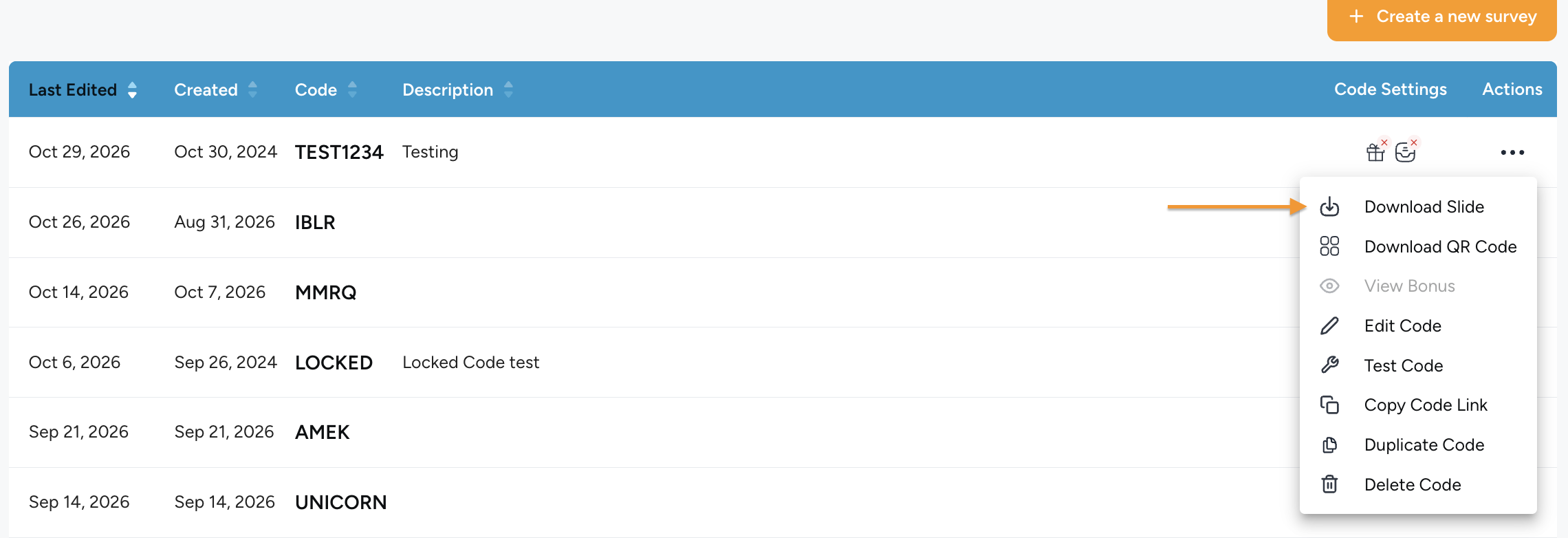
You can download your slide by going to your ‘Get Feedback’ page, clicking the three dots to the right of your survey code, and selecting ‘Download Slide’:
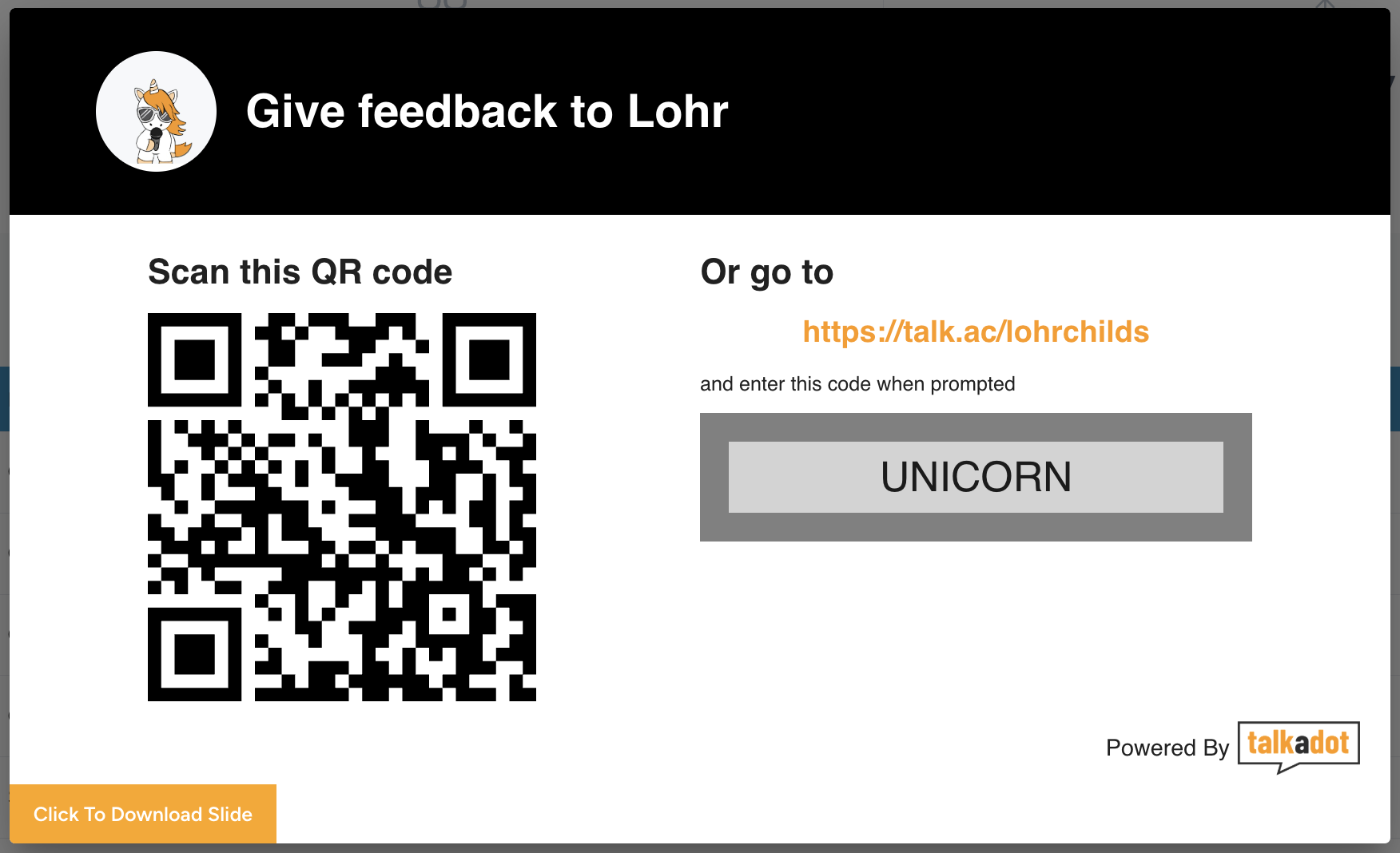
It will look like this!
So let’s begin:
Can I customize my slide?
The answer to this one is No, but also yes? No, there isn’t currently a way to customize your slide within Talkadot itself*. However, you are welcome to download your slide and open it in an image editor, or upload it to something like Canva, to change the colours, add logos and more! As long as you don’t put anything over the QR code itself, it should work fine.
You can even clip the QR code out, and paste it into an entirely custom image, that works too!
Why does the slide have both the QR code and a URL?
Great question! So we include both for ease of use. The QR code makes for easy scanning for those on mobile devices, but if someone is taking notes on a laptop or something, the URL gives them a convenient way to access it on their current device.
Technically speaking, the QR code is the URL, just with the Code that is associated with your Survey already entered. It skips the part where your audience has to enter it themselves. As such though, it does mean that if you change your Survey Code name (like lets say I changed it from ‘Unicorn’ to ‘Narwhal’) I’d need a new QR code, because the information has now changed!
Can the Talkadot QR code be printed out? Will that still work?
Absolutely! I’ve seen a many speakers do this for situations where they know the internet isn’t going to be working, or they just want a strong backup. I’ve even heard of a few speakers who put it on business cards! This absolutely works, and it will send them to the same place.
The only caveat here is that it does tend to result in more ‘delayed’ submissions. Not from us, but because you’ll have audience members taking it at different times during the talk, or taking the QR code with them when they go to fill out later. That’s not a problem at all, just be prepared for a few more stragglers (or to lock the code to the event’).
Take care all!
*As of November 2026