The how and why of merging talks
Want to combine some of your data together, or clean up your talk list? Here's how!

Hello everyone!
Sometimes, you’ll give a talk, and instead of everyone taking the survey at the end of your talk, some will answer it hours later, or the next day! In instances like that, you’ll end up with what I always call ‘Stragglers’.
Stragglers are little single response events that often happen when someone responds outside the window of time where all the other responses come in. They have no title, no organization, just a bit data:
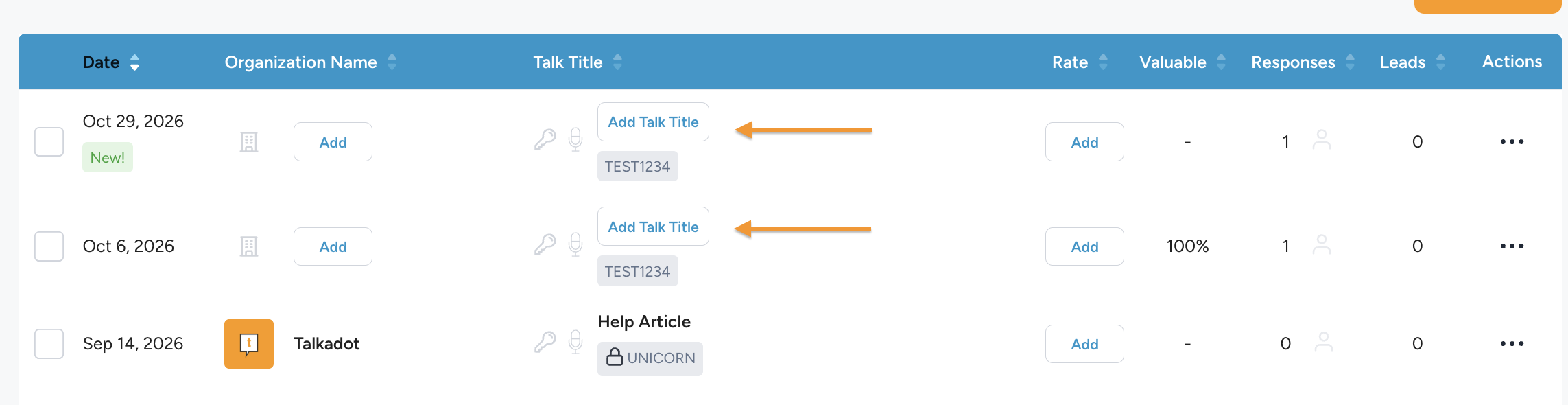
In situations like this, you probably just want to put this response where its supposed to belong, with the rest of that events data! Well good news, that process is easy and straightforward. All you have to do, is hit the little checkboxes to the left of the events, selecting everything you want to merge!
Important note though! Whichever event you select first to merge becomes the ‘parent’ event, and all of the rest of the data is combined into that event. That means if one of your events has a Title and all of the event information, you want to select that event first, or all of that Event information will be erased when you merge. (None of the audience data is ever lost though!)
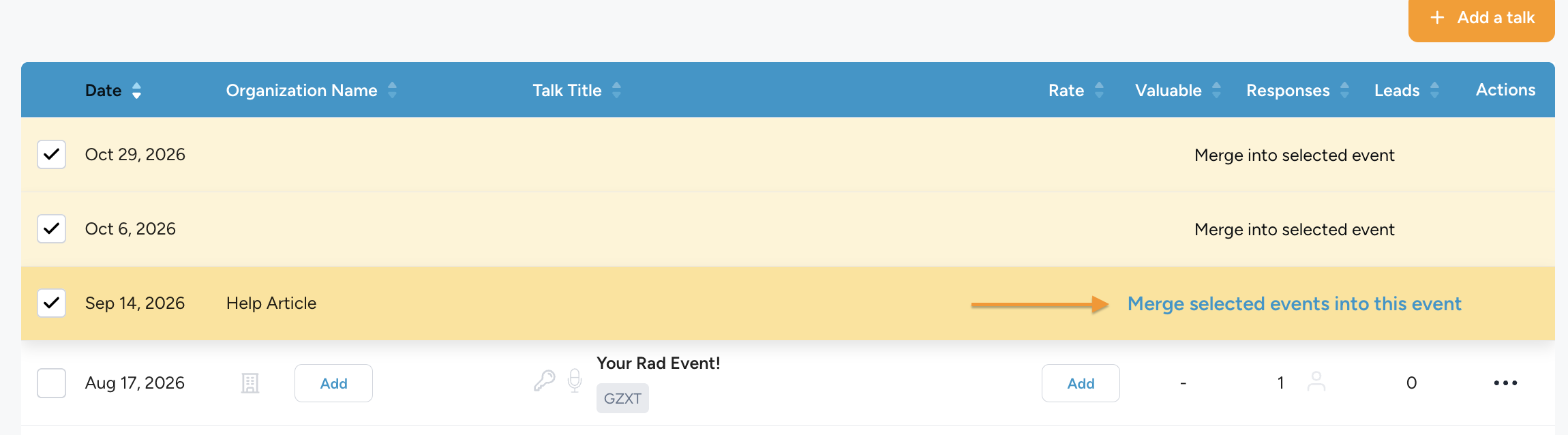
Once you have everything selected, just click ‘Merge selected events into this event’ and they’ll all combine!
This is a great way to keep your data organized and your talk list clean. Its also important because only talks with 5+ responses, and a talk title, will show up on your public profile!
Hope that all make sense, but if you have any questions ,you know where to find me.
Peace!
Lohr